
Renew-Able Solutions / Tesla Powerwall 3
Tesla Powerwall 3.
Smart energy,
built around you.
We install Tesla Powerwall 3 in Edinburgh, East Lothian and across Central and East Scotland. Explore smart energy controls, Backup Gateway options and expansion packs designed around your home.
Discuss your Powerwall installationEdinburgh, East Lothian and wider Central and East Scotland
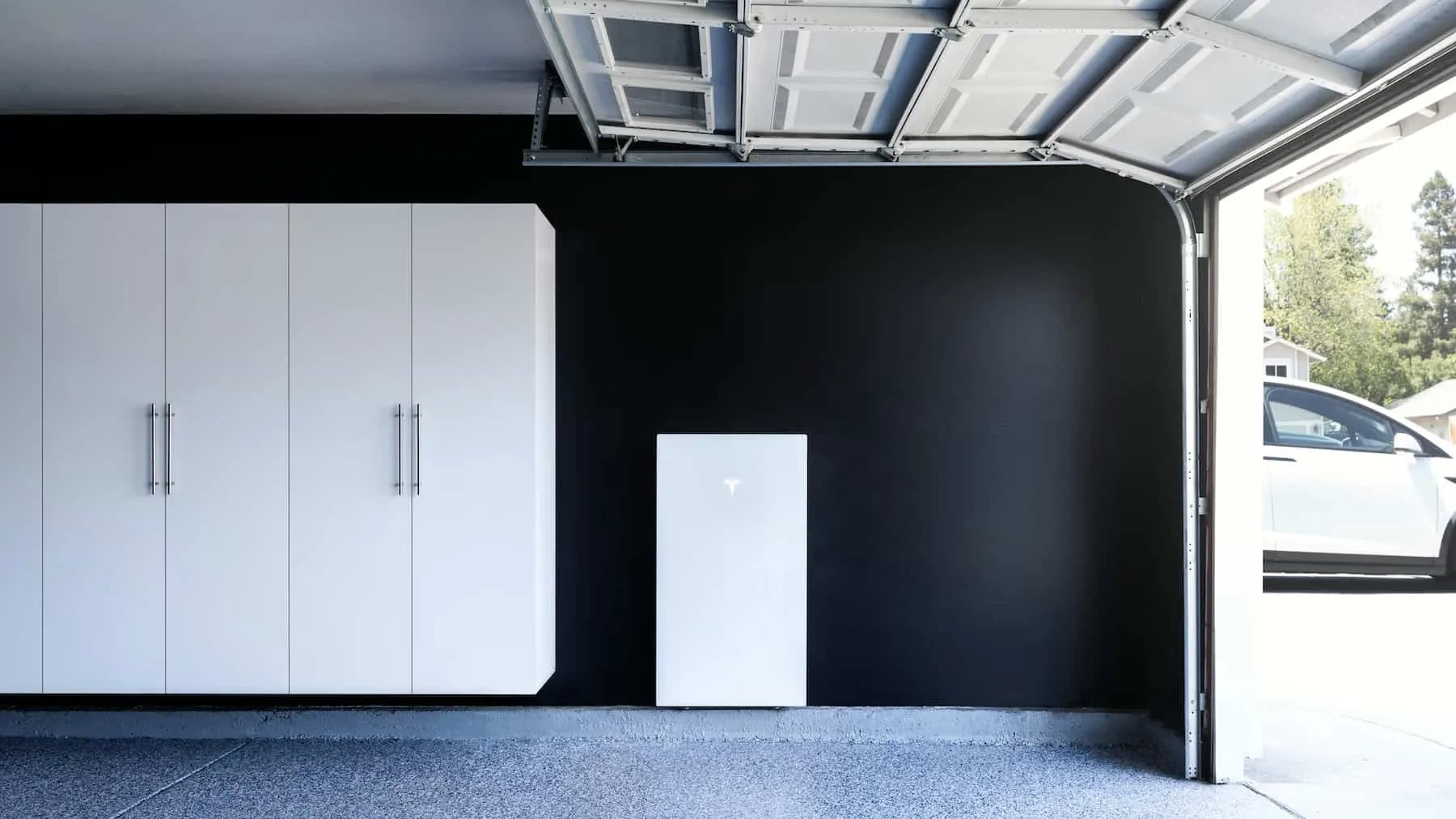
Energy (kWh) is how much you can store. Power (kW) is how quickly you can use it. Actual output depends on the approved design, configuration and operating conditions. Tesla UK specifications.
Why we choose to install it
Why we install Tesla Powerwall 3
We value Tesla Powerwall 3 because the battery, inverter, firmware and app work together as one home-energy system. For us, excellent technology should make everyday energy decisions easier to understand and manage.
Software that keeps developing
Tesla delivers over-the-air firmware and app updates. Its published release notes include improvements to calibration, energy control and local monitoring. That ongoing development is a key reason we recommend considering Powerwall.
Explore Tesla’s software updates. Features depend on the hardware, software version, region and system configuration.
Your energy, clearly displayed
The Tesla app shows how energy moves between your solar panels, home, battery and grid. You can review usage and adjust the available operating settings, helping you understand what your installation is doing.
Controls for solar and tariffs
Self-Powered mode prioritises using your own solar energy. Tesla’s current UK guidance calls its tariff-led charging approach Savings mode; you may also see Time-Based Control referenced. It uses your rate plan to shift energy use towards lower-cost periods.
We check the tariff, import/export permissions and competing schedules during setup. Savings depend on your use, rates and losses. Tesla Savings mode.
Reserve energy for an outage
With a backup installation, Backup Reserve lets you hold back energy for power cuts. Storm Watch can prepare for qualifying severe-weather alerts when enabled and correctly configured.
A higher reserve leaves less energy for everyday bill reduction. Backup Reserve explained · Storm Watch eligibility and setup.
Storage + backup
What does the Tesla Gateway actually do?
The Backup Gateway is a separate electrical device, not another battery. It monitors the system and manages its connection to the electricity grid. Tesla’s current UK Powerwall 3 documentation specifies Backup Gateway 2 for backup installations.
- Monitors energy flowIt measures energy at the site and helps the system coordinate solar, storage and household use.
- Detects a grid outageIt disconnects the backed-up installation from the grid, preventing the battery from feeding electricity into the failed network.
- Enables backup, then reconnectsPowerwall supplies the circuits included in the backup design. The Gateway manages the return to grid operation when the supply is suitable.
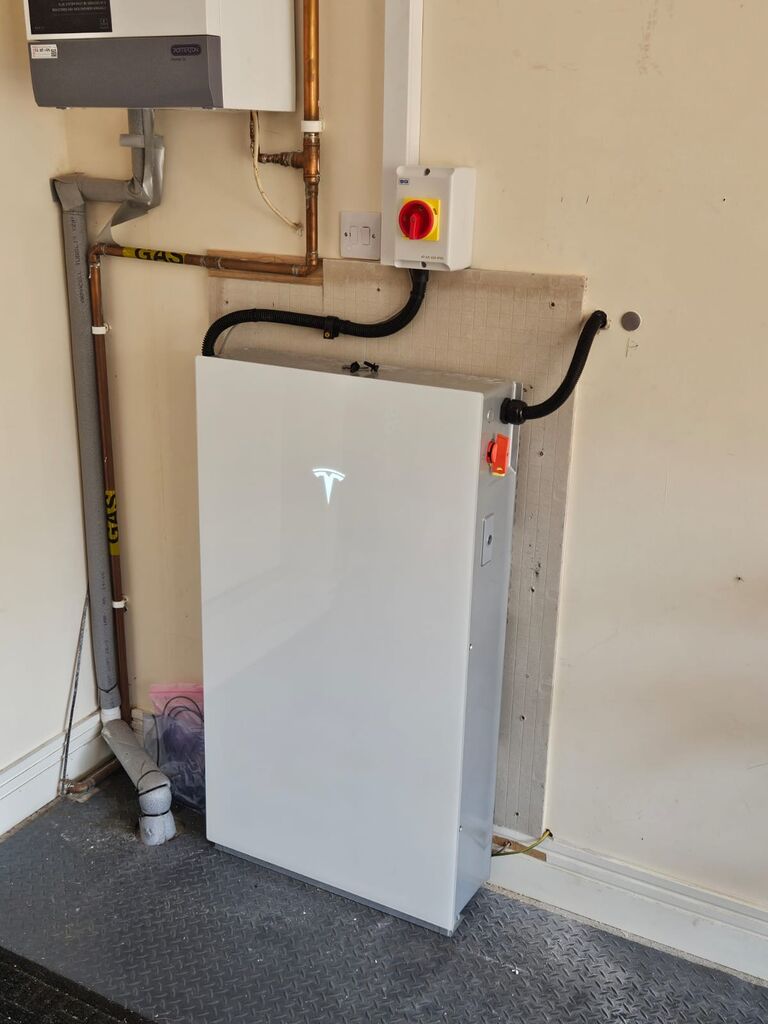
Tesla Powerwall 3 with a Backup Gateway
Choose this route when keeping selected essentials—or a suitable whole-home circuit arrangement—running during a power cut matters. The survey defines exactly what is backed up.
Tesla Powerwall 3 without backup
A supported non-backup configuration uses a Tesla Remote Meter instead of the Gateway. It retains everyday energy management but does not power your home during an outage. A later backup upgrade requires the Gateway and suitable installation work.
Backup duration depends on charge at the start of the outage, appliance demand, solar conditions and system limits. We size for the loads you actually want to keep running rather than promise a fixed number of hours.
More energy for later
Tesla Powerwall 3 expansion packs: grow your storage
An Expansion unit adds another 13.5 kWh of battery capacity to a compatible Tesla Powerwall 3. It is useful when you need more energy through the evening, more room for surplus solar, or longer backup duration.
No expansion
+ 1 Expansion
+ 2 Expansions
+ 3 Expansions
Extra capacity, shared inverter
The Expansion unit has no solar inverter of its own. It works through Powerwall 3, so it cannot operate alone and solar panels cannot connect directly to it. Adding one does not double the system’s AC output.
Expansions can sit alongside the main unit or, in approved floor-mounted arrangements, behind it. We check space, mounting and cable requirements. Tesla’s component overview.
Plan now, or add later
We can design for expansion from the outset or assess a later upgrade. We check the exact Powerwall hardware revision before confirming compatibility.
The current UK installation manual supports up to four Powerwall 3 units and three Expansion units in total, with expansions connected to the leader Powerwall. An expansion pack is not an upgrade for Powerwall 2. UK expansion and compatibility guidance.
Part of the complete installation
Pair Tesla Powerwall 3 with your solar panels
Installing solar and storage together
Tesla Powerwall 3 includes a solar inverter, allowing a suitable new PV array to connect directly. We design the panels, strings, storage and grid connection together, then explain how your home will use the electricity.
Adding a battery to existing solar
Powerwall 3 can also work with suitable existing solar installations. We check your inverter, metering and electrical arrangement, including whether the solar can operate within the proposed backup system.
Compare our home battery storage options · Tesla’s system design guidance.
No solar yet? A suitable grid-charged installation can store energy during lower-price periods for later use. We assess the tariff and your consumption before recommending it. Powerwall with and without solar.
Already have Tesla Powerwall?
For setup, settings and video help, open our Tesla Powerwall app guide.
Before you choose
Tesla Powerwall 3 questions, answered.
Do I need to own a Tesla car?
No. Powerwall is a home battery system and can be installed without a Tesla vehicle.
Does every Powerwall installation include backup?
No. A non-backup Powerwall 3 installation cannot supply your home during a power cut. Ask for your quote to state the Gateway equipment, backed-up circuits and any distribution-board work explicitly.
Will an expansion pack make my system more powerful?
It adds stored energy rather than another AC inverter. That can extend how long the system supplies a given load, but does not add a second Powerwall’s AC output. More simultaneous demand may require a different system design.
How many expansion packs can I add?
The capacity examples above show one Powerwall 3 with up to three Expansion units. We verify your hardware revision and the current UK installation rules before confirming an upgrade, especially on multi-Powerwall systems.
What warranty does Powerwall 3 have?
Tesla lists a 10-year warranty, subject to its applicable terms. Its UK datasheet requires reliable internet connectivity for the full warranty. We explain the manufacturer’s cover, installation scope and aftercare separately in your proposal.
How much will my installation cost?
We provide a survey-based quotation. The main variables are the Powerwall and Expansion quantity, backup equipment, electrical work, mounting location, cable routes and any solar integration. Your quote will identify the chosen configuration and installation inclusions.
Designed for your home
Let’s specify the right Powerwall system.
Send us your postcode, recent electricity use, tariff, existing solar details and the appliances you want to back up. We’ll assess Powerwall 3, Gateway and expansion options together.
Request a Powerwall 3 assessmentOr call 0131 210 0405.
Manufacturer references and image credits
UK information reviewed 9 September 2026. Our reasons for recommending Powerwall are our installer assessment of its features; product availability and software functions can change. Confirm the specification in your written proposal.
- Powerwall 3 UK datasheet
- Firmware and Tesla app updates
- How Powerwall works
- Savings mode
- Backup Reserve
- Storm Watch
- System design and Gateway
- Non-backup configurations
- Powerwall and Expansion components
- UK expansion compatibility and system limits
Installation photograph © Renew-Able Solutions. Tesla product photograph from the existing Renew-Able media library, credited to Tesla. Tesla and Powerwall are trademarks of Tesla, Inc.
Keep exploring
Solar, battery & Powerwall guides
Practical reading to help you plan the complete system.